What public bots offer
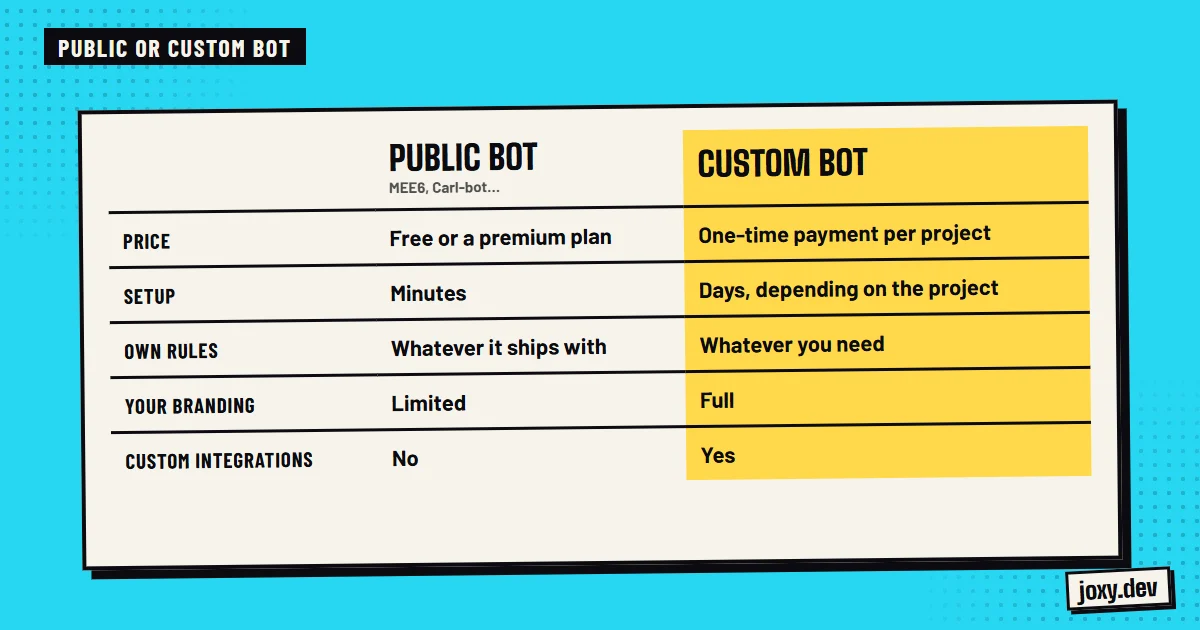
Bots like MEE6, Carl-bot or Ticket Tool serve thousands of servers. They install in minutes, they are already tested and they cover the standard very well: automatic moderation, reaction roles, logs, welcomes or tickets. To get started, or for a small community, they are usually more than enough.
Where they fall short
The limits show up when your community is no longer standard:
- 1The features are the ones the bot offers, not the ones you imagine.
- 2The look and the messages are someone else’s, not your brand’s.
- 3Some features sit behind a monthly paid plan.
- 4Their systems do not talk to each other: one bot’s levels do not connect to another bot’s shop.
- 5You depend on the bot continuing to exist and not changing its terms.
What a custom bot brings
A bot made for your server does exactly what your community needs and nothing it does not:
- 1Features of your own: an economy with a shop, minigames, duels or whatever your audience enjoys.
- 2An identity of your own: name, avatar and cards in your style.
- 3Connected systems: levels can give coins, coins buy from the shop and the shop gives roles.
- 4Your data, stored where you decide.
- 5Specific integrations with Twitch, YouTube or any API.
What is wrong with a custom bot
It costs more at first, it needs to be hosted somewhere and it depends on whoever built it for changes. That is why it pays to work with someone who gives you support and hands the project over fully documented.
How to decide
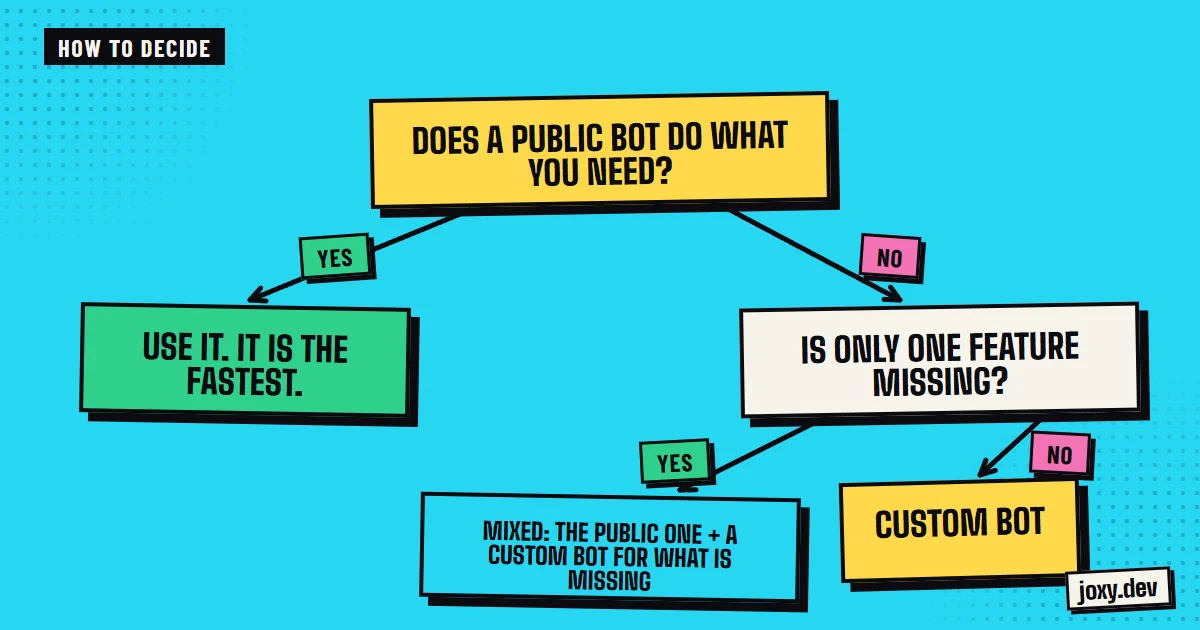
Use a public bot if your server is new, if you only need basic moderation and tickets or if you do not yet know what your community wants. Move to a custom one when you notice you keep asking the bot for things it does not do, when you want the server to have an identity of its own or when your members already ask for game systems, levels and an economy.
The mixed option
You do not have to pick only one. You can keep a public bot for the standard and build one of your own for what makes you different. I also configure and extend bots you already have installed, like MEE6, Carl-bot or Ticket Tool, if that is what you need.
Your checklist
0/4
Tick what you already have. It stays saved in this browser.
Was this guide useful?
Thanks! That helps me improve the guides.
 Protect your Discord from raids
 Keep your community active
 How to run a Discord giveaway
 How to set up Discord roles