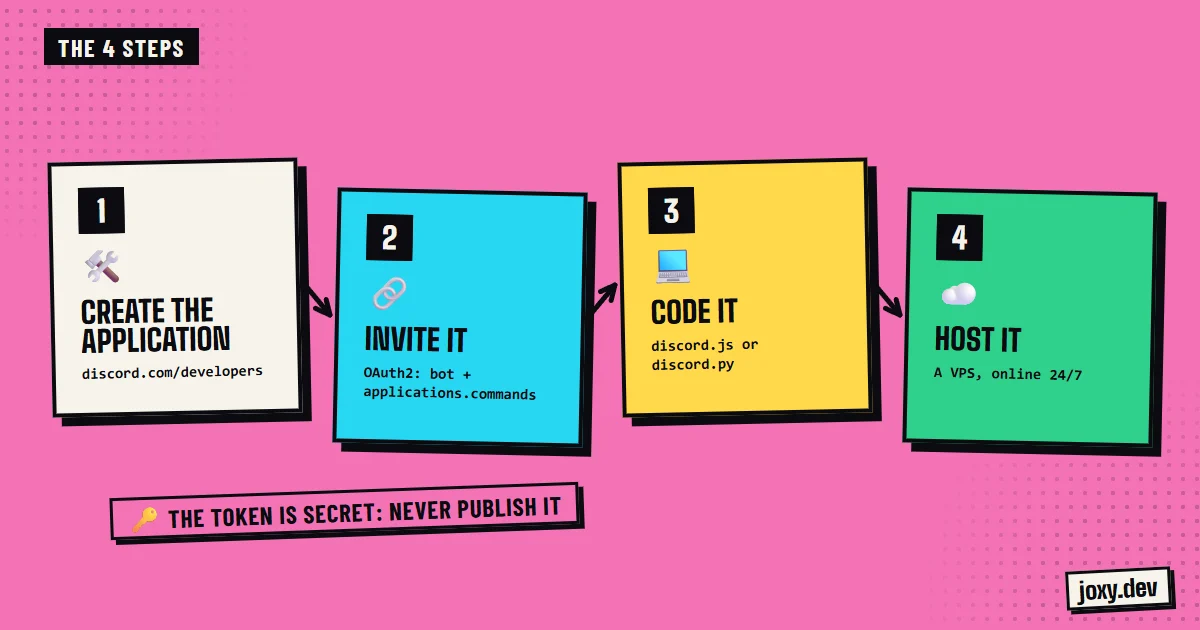
Step 1: create the application
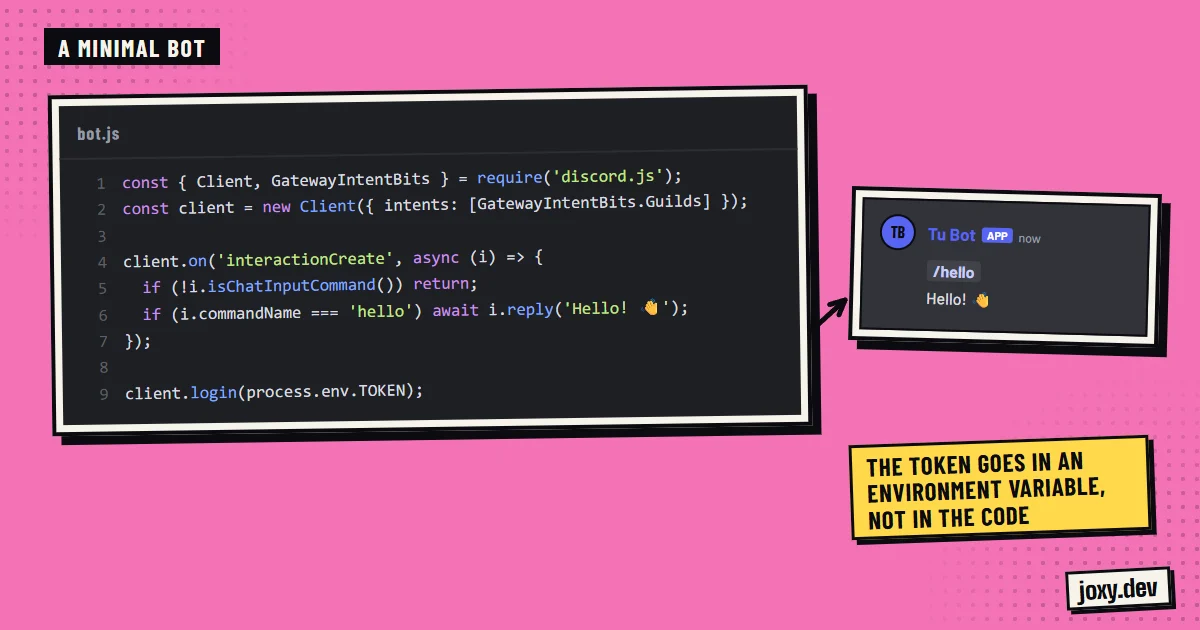
Go to the Discord developer portal (discord.com/developers/applications), create a new application and give it a name and image. In the Bot section you get the token, which works as the bot’s password: whoever has it can control the bot, so never publish it or push it to a repository. In the same section you turn on the intents you need, for example message content if the bot has to read messages.
Step 2: invite the bot to your server
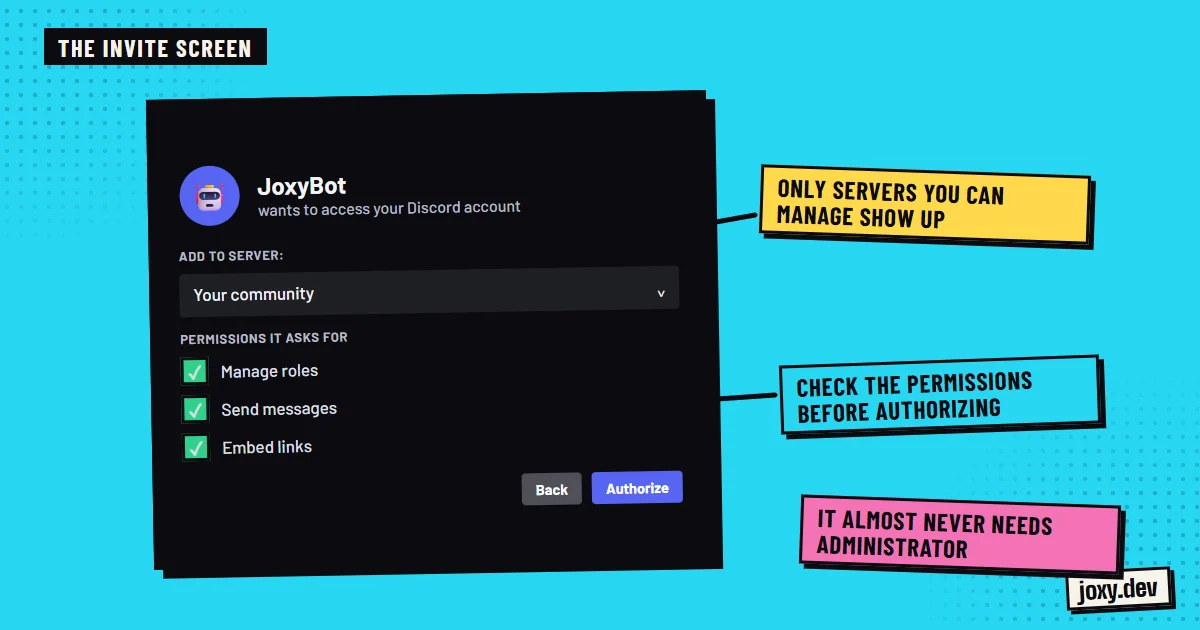
In the OAuth2 section you generate an invite link with the bot and applications.commands scopes, and tick only the permissions the bot needs. Opening the link lets you pick the server, and the bot shows up in the member list, offline until its code starts running.
Step 3: code it
The most used libraries are discord.js, in JavaScript with Node.js, and discord.py, in Python. With them the bot connects, registers its slash (/) commands and reacts to events: someone joins, writes, reacts or presses a button. If the bot stores data, like levels or coins, you will also need a database.
Step 4: keep it online
The bot only works while its code is running. On your computer it stops when you switch it off, which is why bots a community really relies on are hosted on a virtual server (VPS) with a process manager that restarts them if they crash. Free options usually have limits or put the bot to sleep when nobody uses it.
When to hire it out instead
Making a simple bot is a good project to learn. Hiring it out makes sense when you need it soon, when it handles your community’s data or when it has to grow with an economy, web panels or integrations without breaking.
Your checklist
0/4
Tick what you already have. It stays saved in this browser.
Was this guide useful?
Thanks! That helps me improve the guides.
 How to organize Discord channels
 How to add a bot to Discord
 Economy on Discord
 How much does a website cost