A structure that works
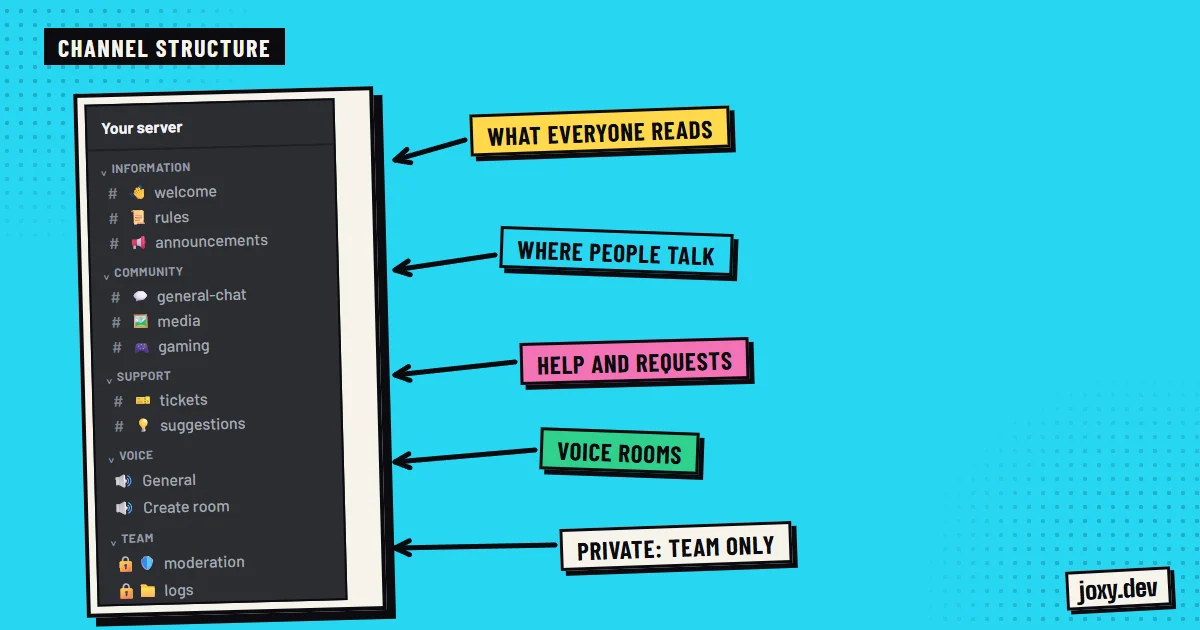
Almost any community fits in these categories:
- 1Information: welcome, rules, announcements and, if it applies, stream or video alerts.
- 2Community: general chat, media and one or two topic channels.
- 3Support: tickets, suggestions and help.
- 4Voice: one or two fixed rooms, or temporary rooms created on joining.
- 5Team: private channels for moderators and the bot’s logs.
Names and order
Use short names in your community’s language. An emoji at the start helps people recognize each channel at a glance, but it does not replace the name: the name has to make sense on its own. Order from most to least important and leave team and log channels at the bottom.
How many channels to create
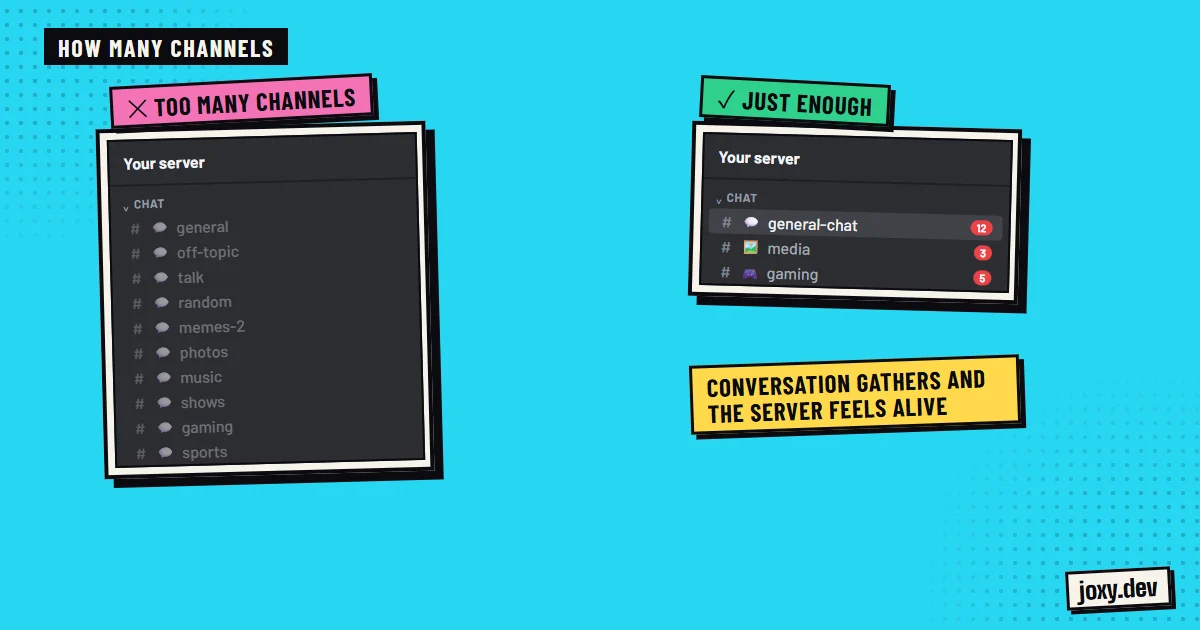
Fewer than you think. Each channel splits the conversation: in a small community, ten chat channels look empty and the server feels dead even with people around. Open a new channel when a topic fills the general one, not before.
Permissions per category
Set permissions on the category and keep its channels synced: that way you change access for a whole block at once. If you edit the permissions of a single channel, it stops being synced and can stay open while the category is closed, so check channel by channel.
Your checklist
0/4
Tick what you already have. It stays saved in this browser.
Was this guide useful?
Thanks! That helps me improve the guides.
 How to add a bot to Discord
 Economy on Discord
 How much does a website cost
 Website for streamers and creators